【HarmonyOS】TextInput值获取方法
【HarmonyOS】记录当引入自定义组件有TextInput时,获取子组件输入框的值方法【1】使用@Link【2】使用onChange回调
【方案一】使用@Link
@Component
struct LoginEditCompoments {
  @Link inputValue :string

  build() {
    TextInput({text:$$this.inputValue})
  }
}

@Entry
@Component
struct Page04 {
  @State inputValue_1: string = ""
  @State inputValue_2: string = ""

  build() {
    Column({ space: 10 }) {
      LoginEditCompoments({
        inputValue:this.inputValue_1
      })
      LoginEditCompoments({
        inputValue:this.inputValue_2
      })
      Button('登录').onClick(() => {
        console.info(`inputValue_1:${this.inputValue_1}`)
        console.info(`inputValue_2:${this.inputValue_2}`)
      })
    }
    .height('100%')
    .width('100%')
  }
}
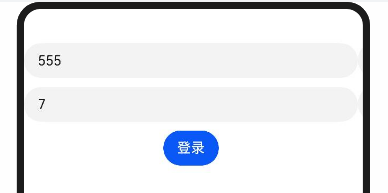
打印
inputValue_1:555
inputValue_2:7
【2】使用onChange回调
@Component
struct LoginEditCompoments {
  onTextChange?: (value: string) => void

  build() {
    TextInput().onChange((value: string) => {
      if(this.onTextChange){
        this.onTextChange(value)
      }
    })
  }
}

@Entry
@Component
struct Page04 {
  @State inputValue_1: string = ""
  @State inputValue_2: string = ""

  build() {
    Column({ space: 10 }) {
      LoginEditCompoments({
        onTextChange: (value) => {
          this.inputValue_1 = value
        }
      })
      LoginEditCompoments({
        onTextChange: (value) => {
          this.inputValue_2 = value
        }
      })
      Button('登录').onClick(() => {
        console.info(`inputValue_1:${this.inputValue_1}`)
        console.info(`inputValue_2:${this.inputValue_2}`)
      })
    }
    .height('100%')
    .width('100%')
  }
}
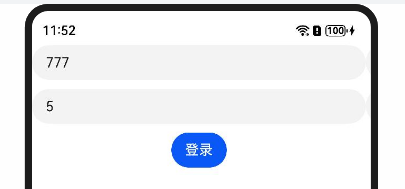
打印
inputValue_1:777
inputValue_2:5

 浙公网安备 33010602011771号