VMware虚拟机装ubuntu不能上网
前言全局说明
VMware虚拟机装ubuntu不能上网
一、说明
环境:
Windows 11 家庭版 23H2 22631.3737
VMware® Workstation 16 Pro 16.2.4 build-20089737
ubuntu 22.04 Linux vmqt-virtual-machine 6.2.0-31-generic #31~22.04.1-Ubuntu SMP PREEMPT_DYNAMIC Wed Aug 16 13:45:26 UTC 2 x86_64 x86_64 x86_64 GNU/Linux
二、问题:虚拟机不能上网
2.1 使用 ip a 命令
查看到没有IP,提示如下错误:
ens33:<NO-CARRIER,BROADCAST,MULTICAST,UP> mtu 1500 qdisc fq_codel state DOWN group default qlen 1000
    link/ether 00:0c:29:de:43:4f brd ff:ff:ff:ff:ff:ff
图片来源于网络(当时忘截图了)

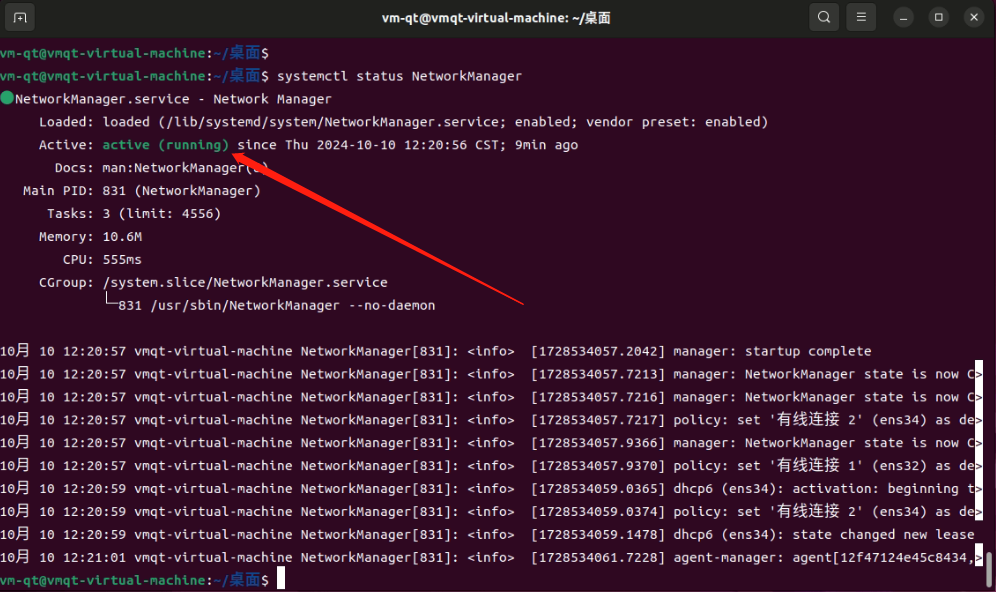
2.2 查看网络服务状态
systemctl status NetworkManager
启动状态
2.3 重启网络服务
重启服务后也不能上网
systemctl restart NetworkManager
或
systemctl stop NetworkManager
systemctl start NetworkManager
2.4 重置网络服务开机启动
systemctl disable NetworkManager
systemctl enable NetworkManager
2.5 查看虚拟网卡
虚拟网卡也是net模式,都正常
三、解决
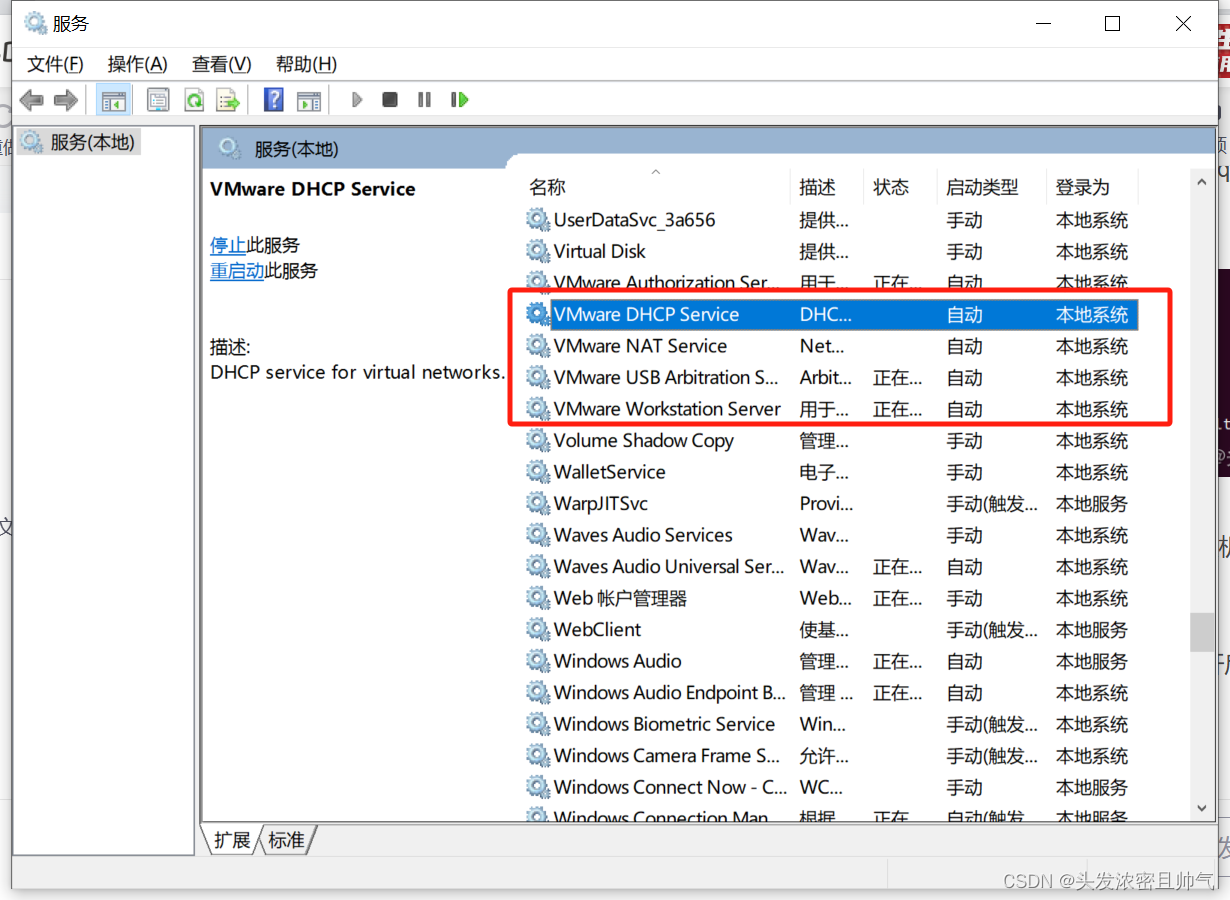
物理机系统服务被设置成手动了,所以获取不到IP,按图片中开启即可正常上网
免责声明:本号所涉及内容仅供安全研究与教学使用,如出现其他风险,后果自负。
参考、来源:
https://blog.csdn.net/WDNMDhhhhhhh/article/details/135814916
https://blog.csdn.net/sinat_27690807/article/details/110871829 (2.1图片来源)

 浙公网安备 33010602011771号