
mysql8.0和postgrel12的安装
在linux上安装mysql
尝试了下在linux(centos7)上安装最新版的mysql。下载地址为 https://dev.mysql.com/downloads/mysql/
- 首先卸载linux上自带的mysql
检查是否存在mariadb,这个是mysql的开源版本
rpm -qa | grep mariadb
如果存在卸载即可,我这里已经卸载了
rpm -e --nodeps mariadb-libs
-
下载rpm安装包到服务器上
![]()
-
安装
执行命令

rpm -ivh mysql-community-client-8.0.23-1.el7.x86_64.rpm [--nodeps --force]
rpm -ivh mysql-community-server-8.0.23-1.el7.x86_64.rpm [--nodeps --force]
界面出现100%即为安装成功。
也有可能安装过程中报错,failed dependencies .....如果报错把[]里的参数带上即可
- 验证是否安装成功
mysqladmin --version
或者
rpm -qa | grep mysql
- 启动,
systemctl start mysqld.service
发现并不能正常启动,因为缺少一些依赖包

安装
下载地址:https://dev.mysql.com/downloads/repo/yum/
- 安装(不用事先下载包)
yum install mysql80-community-release-el7-3.noarch
yum install mysql-server #出现的提示都y
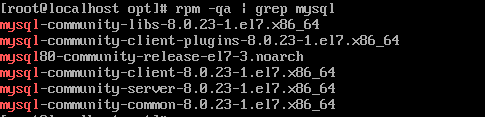
systemctl start mysqld.service
报错。。没截图(伤心...),大概如下:
Starting mysqld (via systemctl):  Job for mysqld.service failed because the control process exited with error code. See "systemctl status mysqld.service" and "journalctl -xe" for details.
                                                           [FAILED]
看下mysql配置文件,找到告警日志所在
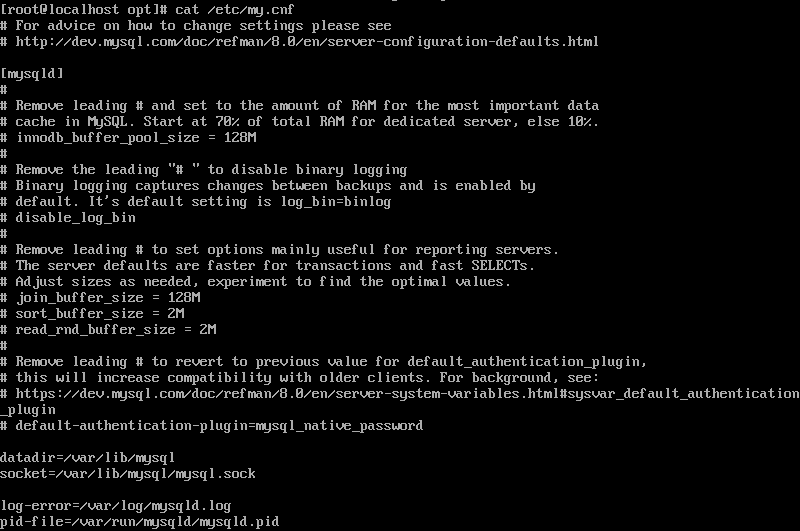
查看mysql自带的告警日志
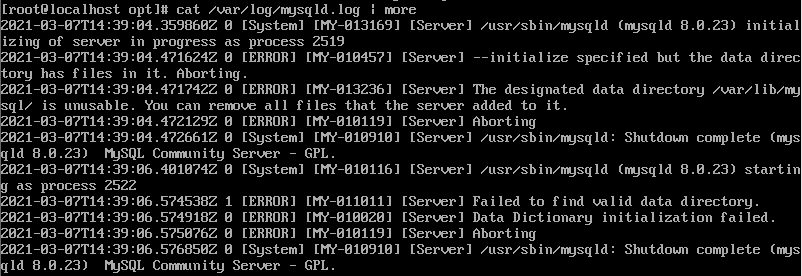
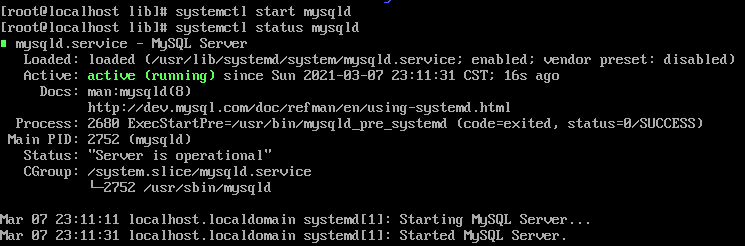
说的是data directory里面有文件了,要干掉。。删掉datadir里的所有文件,重启启动,成功
- 修改密码
通过命令找到初始密码
grep "password" /var/log/mysqld.log
登录,输入密码
[root@localhost ~]# mysql -uroot -p
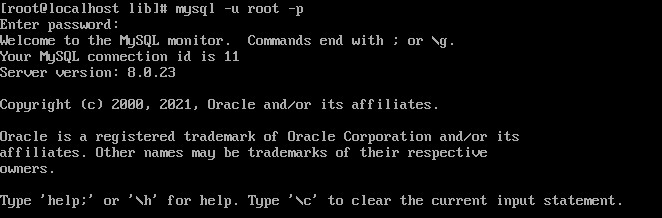
此时不能做任何事情,因为MySQL默认必须修改密码之后才能操作数据库。修改密码
mysql> ALTER USER 'root'@'localhost' IDENTIFIED BY 'new password';
这个时候设置的密码可能因为不符合策略报错

查看策略
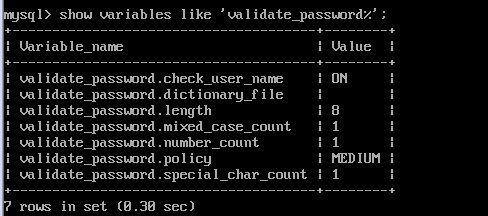
可知,密码长度、大小写、特殊符号等,按要求来
剩下的可参考(前面按我的来): https://www.cnblogs.com/yss818824/p/12349719.html
在linux上安装postgrel
https://www.postgresql.org/download/linux/redhat/
在官网地址,选择版本、运行环境等即可生成yum安装指令
# Install the repository RPM:
yum install -y https://download.postgresql.org/pub/repos/yum/reporpms/EL-7-x86_64/pgdg-redhat-repo-latest.noarch.rpm
# Install PostgreSQL:
yum install -y postgresql12-server
# Optionally initialize the database and enable automatic start:
/usr/pgsql-12/bin/postgresql-12-setup initdb
systemctl enable postgresql-12
systemctl start postgresql-12
安装完毕后系统会创建一个超级用户postgres,现在使用
1.在命令行窗口切换用户
su - postgres
2.登录数据库
psql [-U postgres] #u需要大写
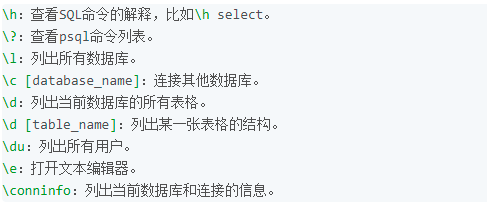
3.查看所有的数据库
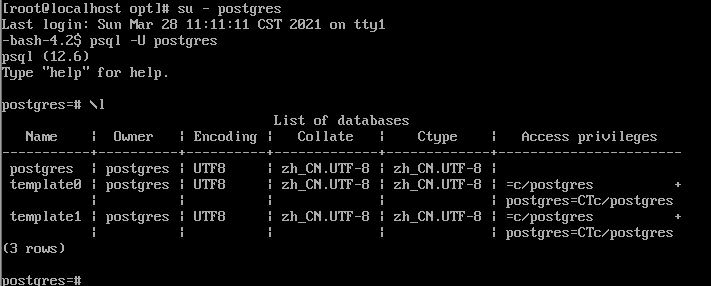
4.修改密码
alter user postgres with encrypted password '123456';
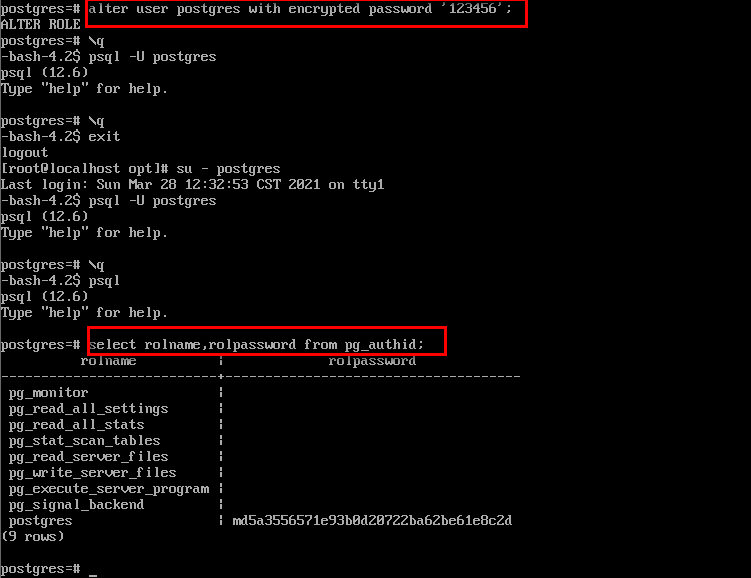
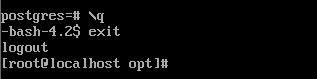
5.退出数据库
\q
6.退出用户
exit
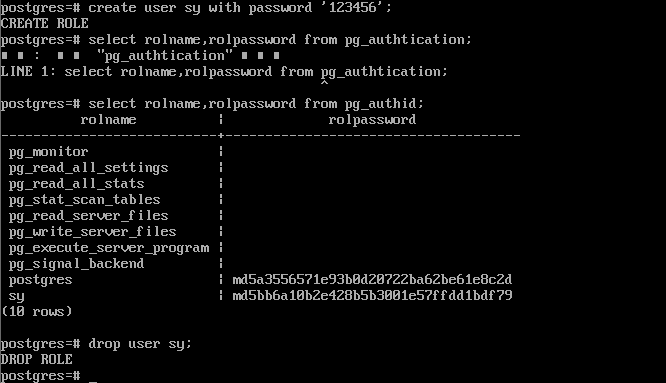
用户操作
redis安装心酸路
https://redis.io/download
下载,这里使用的redis-6.0.12.tar.gz
$ wget https://download.redis.io/releases/redis-6.2.1.tar.gz
$ tar xzf redis-6.2.1.tar.gz
$ cd redis-6.2.1
$ make
结果报错,编译失败,redis依赖c语言环境 ,所以先检查是否已经安装g++、gcc,检查的指令
yum list installed | grep gcc
安装
yum install gcc-c++
把解压后的redis删掉,重新解压,再编译。结果又错了
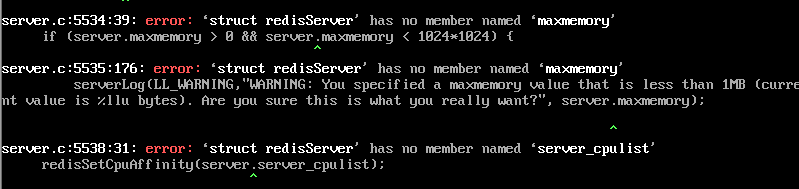
gcc版本过低
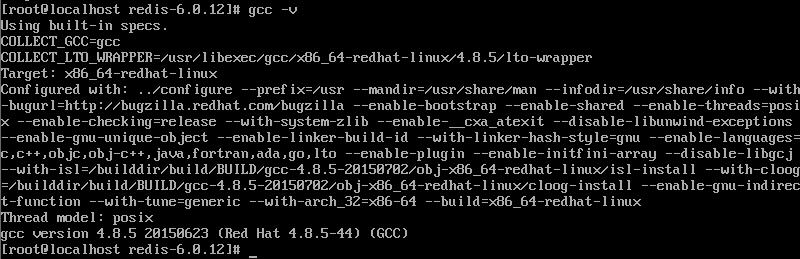
解决办法,安装gcc相关组件
wget http://people.centos.org/tru/devtools-2/devtools-2.repo -O /etc/yum.repos.d/devtools-2.repo
cd /etc/yum.repos.d/
rm -rf devtools-2.repo
yum -y install centos-release-scl
yum -y install devtoolset-9-gcc devtoolset-9-gcc-c++ devtoolset-9-binutils
rpm -qa|grep devtoolset
scl enable devtoolset-9 bash
gcc -v
执行完 make 命令后,redis-6.0.12 的 src 目录下会出现编译后的 redis 服务程序 redis-server,还有用于测试的客户端程序 redis-cli。
启动redis服务
cd src
./redis-server ../redis.conf  #不加conf则使用默认参数启动,加&以后台方式启动
启动客户端,即可操作
cd src
./redis-cli
redis> set foo bar
OK
redis> get foo
"bar"

 浙公网安备 33010602011771号