
AndServer 简单使用(安卓、本地http服务)
AndServer 简单使用
原文:https://www.jianshu.com/p/96114f9a10f6
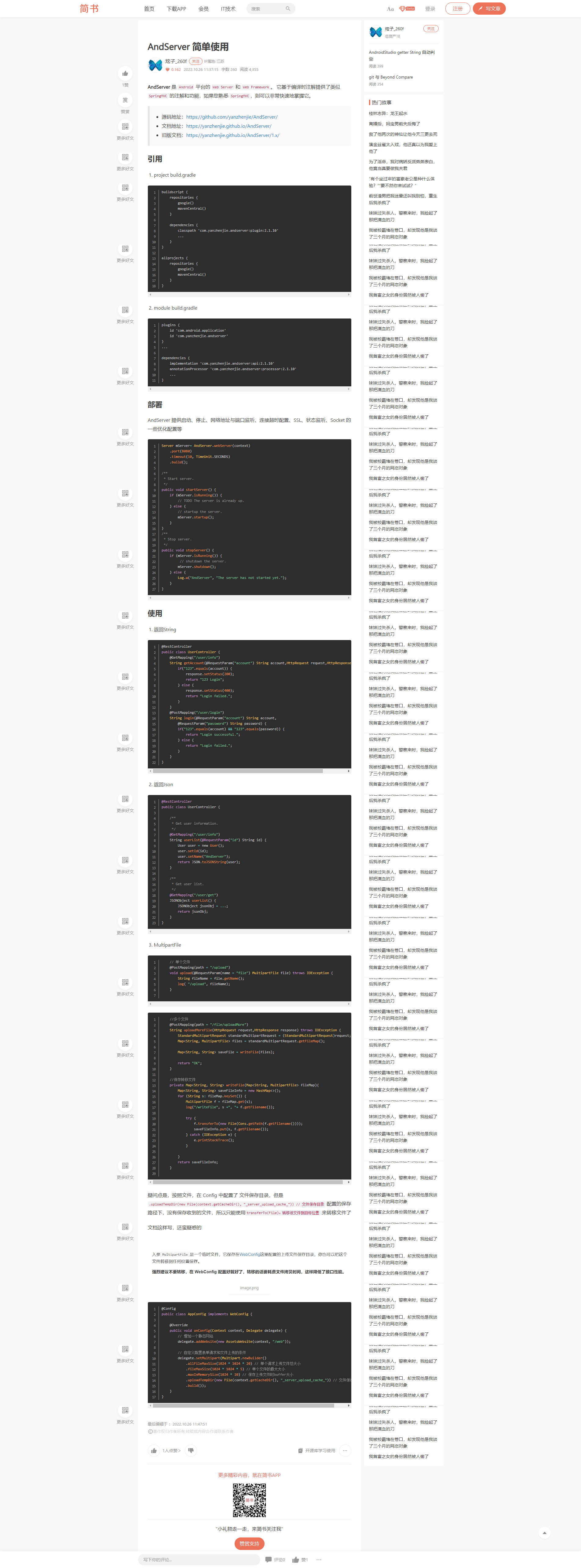
以下为我实践的结果
build.gradle(module:app)
plugins {
    id 'com.android.application'
    id 'com.yanzhenjie.andserver'
}

android {
    namespace 'com.hysyit.speech'
    compileSdk 32

    //这个是我加的,网上有提到某些情况加这个
    useLibrary 'org.apache.http.legacy'

    defaultConfig {
        applicationId "com.hysyit.speech"
        minSdk 21
        //noinspection ExpiredTargetSdkVersion
        targetSdk 30
        versionCode 1
        versionName "0.0.0.10213"

        testInstrumentationRunner "androidx.test.runner.AndroidJUnitRunner"
    }

    buildTypes {
        release {
            minifyEnabled false
            proguardFiles getDefaultProguardFile('proguard-android-optimize.txt'), 'proguard-rules.pro'
        }
    }
    compileOptions {
        sourceCompatibility JavaVersion.VERSION_1_8
        targetCompatibility JavaVersion.VERSION_1_8
    }

    //生成的APK命中格式(带版本号)
    android.applicationVariants.all { variant ->
        variant.outputs.all {
            outputFileName = "HYPLAYER-V.${variant.versionName}.apk"
        }
    }
}

dependencies {
    /*implementation 'androidx.appcompat:appcompat:1.6.1'*/
    implementation 'androidx.appcompat:appcompat:1.2.0'
    implementation 'com.google.android.material:material:1.8.0'
    implementation 'androidx.constraintlayout:constraintlayout:2.1.4'

    /*日志相关,只有这个版本可用,高版本引用失败*/
    implementation files('libs\\log4j-core-2.3.2.jar') //日志
    implementation files('libs\\log4j-api-2.3.2.jar') //日志

    /*芯华板卡*/
    implementation files('libs\\XHApi.jar') //芯华API

    /*百度离线语音合成*/
    implementation files('libs\\com.baidu.tts_2.6.3.c2aaa9f_20220922113422.jar')

    testImplementation 'junit:junit:4.13.2'
    androidTestImplementation 'androidx.test.ext:junit:1.1.5'
    androidTestImplementation 'androidx.test.espresso:espresso-core:3.5.1'

    //zxing 生成二维码
    implementation 'com.google.zxing:core:3.5.1'


    //implementation 'fi.iki.elonen:simple-http-server:0.6.3'
    //implementation 'org.nanohttpd:nanohttpd-webserver:2.3.1'

    implementation 'com.yanzhenjie.andserver:api:2.1.10'
    annotationProcessor 'com.yanzhenjie.andserver:processor:2.1.10'

}
project build.gradle
// Top-level build file where you can add configuration options common to all sub-projects/modules.

buildscript {
    repositories {
        google()
        mavenCentral()
    }

    dependencies {
        classpath 'com.yanzhenjie.andserver:plugin:2.1.10'
    }
}
/*

allprojects {
    repositories {
        google()
        mavenCentral()
    }
}
*/

//build.gradle原来只有这些
plugins {
    id 'com.android.application' version '8.1.0' apply false
}
定义一个变量,初始化
Server mServer= AndServer.webServer(context)
    .port(8080)
    .timeout(10, TimeUnit.SECONDS)
    .build();
启动服务
protected void onCreate(Bundle savedInstanceState) {
      startServer();//启动http服务
}


    /**
     * Start server.
     * 安卓HttpServer相关
     */
    public void startServer() {
        if (mServer.isRunning()) {
            // TODO The server is already up.
            LogUtils.d("zjh Web Server Start");
        } else {
            // startup the server.
            mServer.startup();
        }
    }
    /**
     * Stop server.
     * 安卓HttpServer相关
     */
    public void stopServer() {
        if (mServer.isRunning()) {
            // shutdown the server.
            mServer.shutdown();
        } else {
            Log.w("AndServer", "The server has not started yet.");
        }
    }
定义接口
package com.hysyit.speech.control;

import com.yanzhenjie.andserver.annotation.GetMapping;
import com.yanzhenjie.andserver.annotation.PostMapping;
import com.yanzhenjie.andserver.annotation.RequestParam;
import com.yanzhenjie.andserver.annotation.RestController;
import com.yanzhenjie.andserver.http.HttpRequest;
import com.yanzhenjie.andserver.http.HttpResponse;

/**
 * Http接口
 * 参考:AndServer 简单使用 https://www.jianshu.com/p/96114f9a10f6
 * */
@RestController
public class UserController {

    /**
     * 接口1
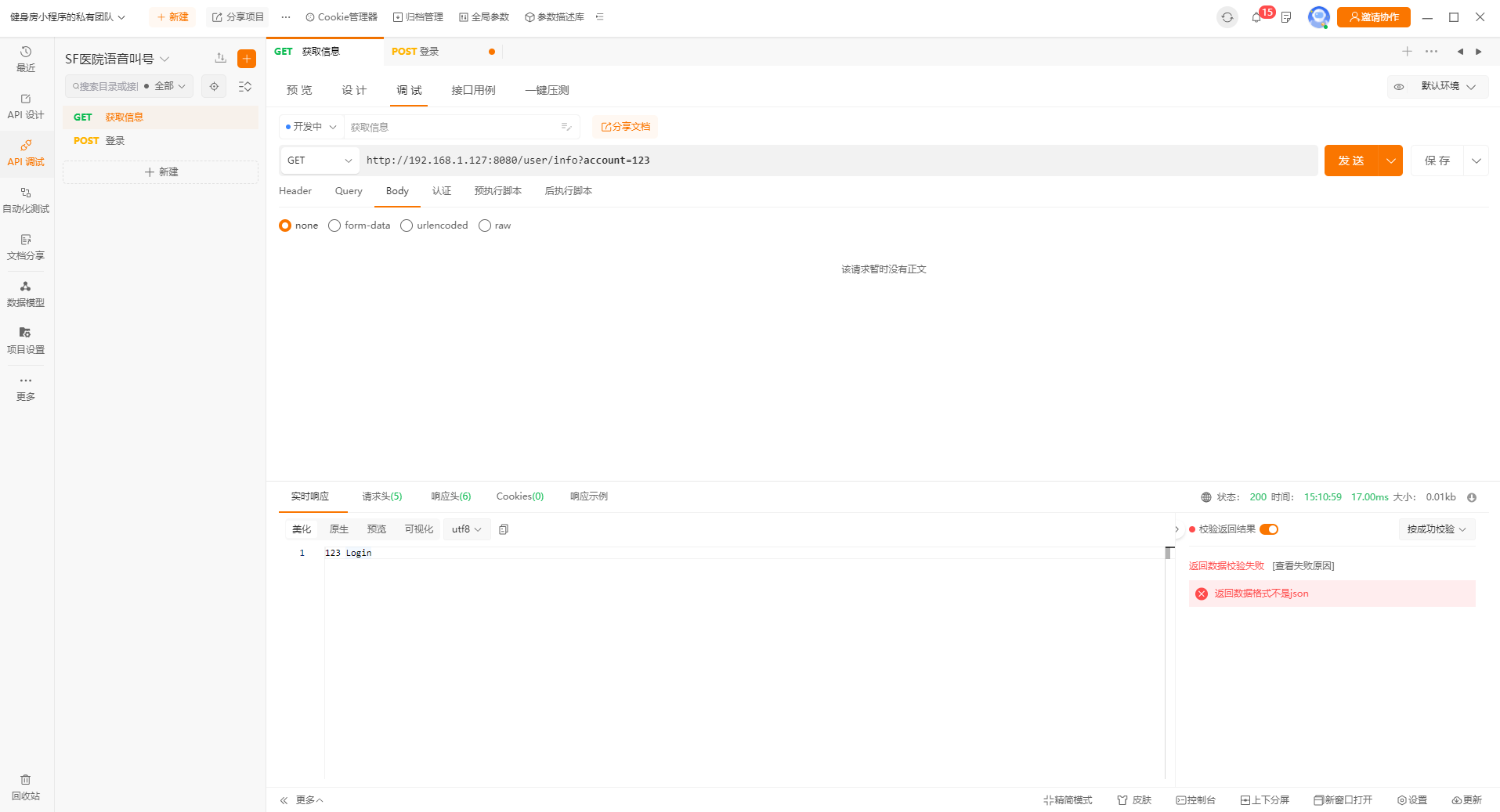
     * 示例:http://192.168.1.127:8080/user/info?account=123
     * */
    @GetMapping("/user/info")
    String getAccount(@RequestParam("account") String account, HttpRequest request, HttpResponse response) {
        if("123".equals(account)) {
            response.setStatus(200);
            return "123 Login";
        } else {
            response.setStatus(400);
            return "Login failed.";
        }
    }

    /**
     * 接口1
     * 示例:
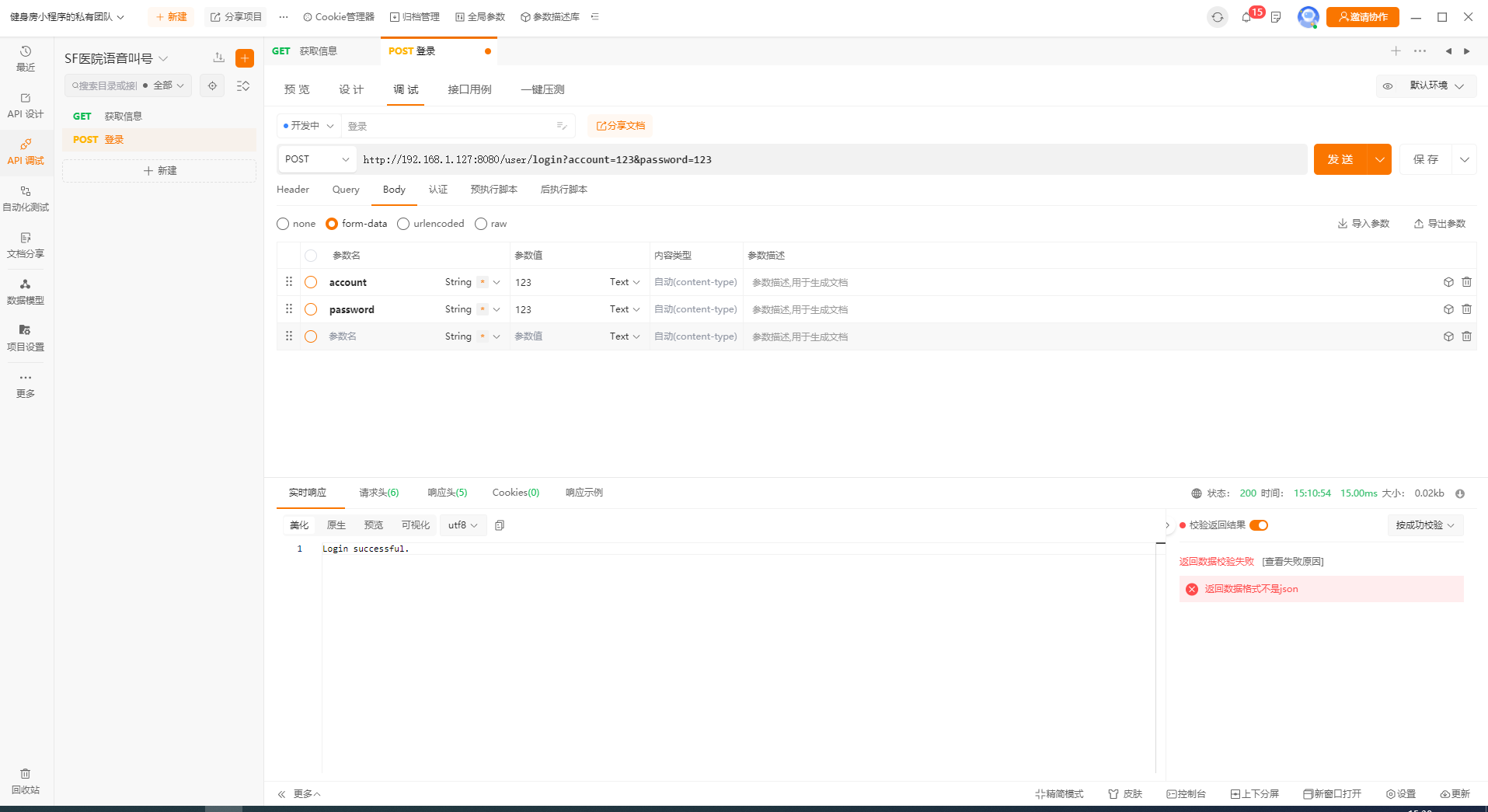
     * http://192.168.1.127:8080/user/login?account=123&password=123
     * 或
     * http://192.168.1.127:8080/user/login
     * 表单里提交:account 123 password 123
     * */
    @PostMapping("/user/login")
    String login(@RequestParam("account") String account,
                 @RequestParam("password") String password) {
        if("123".equals(account) && "123".equals(password)) {
            return "Login successful.";
        } else {
            return "Login failed.";
        }
    }
}
测试

 浙公网安备 33010602011771号