
『Cesium 基础』Entity 样式设置(四)
material 材质
-
颜色 通过给 material 赋值 color 对象值既可以
//内置颜色polygon.material: Cesium.Color.RED.withAlpha(0.5),//css颜色//cssColor:值可以是 #ffccdd, rgb(255,255,255),rgb(255,0,255,0.5)polygon.material: Cesium.Color.fromCssColorString(cssColor, result)-
-
-
通过 ColorMaterialProperty设置动态的颜色
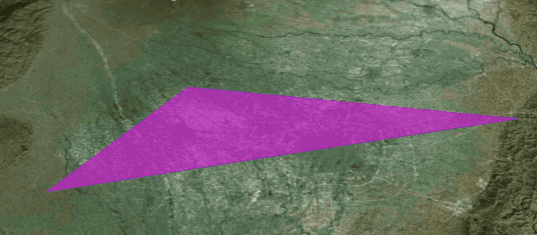
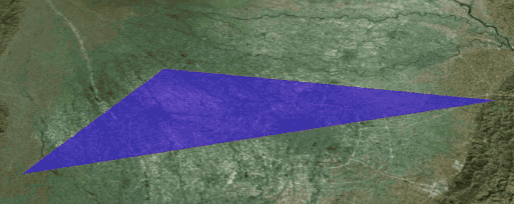
效果图
-
-
-
// 创建 colorPropertyvar colorProperty = new Cesium.SampledProperty(Cesium.Color);colorProperty.addSample(startTime.clone(),new Cesium.Color.fromCssColorString("rgba(0,0,255,.5)"));colorProperty.addSample(endTime.clone(),new Cesium.Color.fromCssColorString("rgba(255,0,255,.5)"));polygon.material: new Cesium.ColorMaterialProperty(colorProperty),
-
贴图:直接设置贴图图片路径即可
polygon.material:'../img/cesium/c1_3.jpg'
填充和边框
fill:false,//默认trueoutline:true,//默认false,如果需要设置边框颜色需要开启设置为trueoutlineColor: Cesium.Color.fromCssColorString("rgba(0,0,255,.5)"),outlineWidth:100
高度和实体垂直拉伸
height: 200000.0,//离地高度extrudedHeight: 400000.0, //实体高度 = extrudedHeight - height
完整代码
var entity = viewer.entities.add({position: Cesium.Cartesian3.fromDegrees(...lnglat),polygon: {hierarchy:{positions:Cesium.Cartesian3.fromDegreesArray([103.842575,30.795808,104.394638,30.728545,104.394638,30.728545,103.626969,30.584419]),},material: Cesium.Color.RED.withAlpha(0.5),// material: new Cesium.ColorMaterialProperty(colorProperty),// material:'../img/cesium/c1_3.jpg',height: 2000.0,//离地高度extrudedHeight: 4000.0, //实体高度 = extrudedHeight - height// fill:false,// outline:true,// outlineColor: Cesium.Color.fromCssColorString("rgba(0,0,255,.5)"),// outlineWidth:100}});
设置初始化范围
//Rectangle(west, south, east, north)//设置初始化中国范围Cesium.Camera.DEFAULT_VIEW_RECTANGLE =Cesium.Rectangle.fromDegrees(...[100, 10, 120, 70]);

 浙公网安备 33010602011771号