chrome扩展插件
浏览器插件调用本地WPS ,NativeMessage
- 插件实现
1.1 清单文件中赋予nativemessaging权限
{
  "manifest_version": 3,
  "name": "快捷",
  "version": "1.0",
  "description": "侧边栏快捷启动",
  "icons": {
    "16": "shortcut.png",
    "48": "shortcut.png",
    "128": "shortcut.png"
  },
  "background": {
    "service_worker": "service-worker.js"
  },
  "action": {
    "default_title": "点击打开",
    "default_popup":"./sidepanel.html"
  },
  "side_panel": {
    "default_path": "sidepanel.html"
  },
  "permissions": ["nativeMessaging"]

}
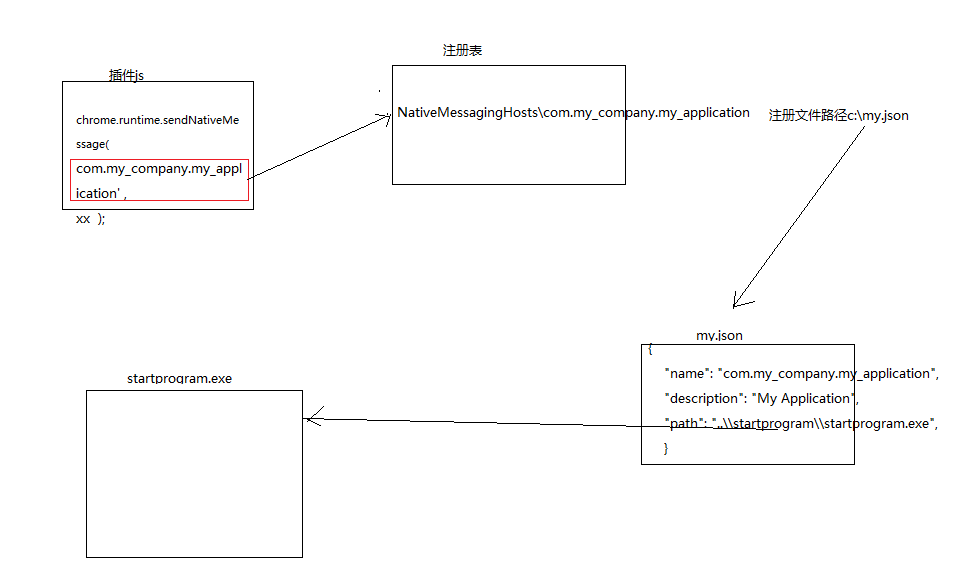
1.2 插件js文件中调用chrome.runtime.sendNativeMessage发送消息和接收返回信息,消息注明 :管道名,json格式消息体,回调函数
 chrome.runtime.sendNativeMessage(
      'com.my_company.my_application',
      {path:path,file:file},
      function(response){
        console.log("Received:"+JSON.stringify(response) );
      }
    );
- 宿主注册文件
2.1 文件任意名称,任意位置。文件中需要 :管道名,宿主程序路径,插件id
{
    "name": "com.my_company.my_application",
    "description": "My Application",
    "path": "..\\startprogram\\startprogram.exe",
    "type": "stdio",
    "allowed_origins": [
      "chrome-extension://pfadpicafnhjhmljbpkkalnebmibkmmh/"
    ]
}
2.2 将文件写入注册表中
set filename=regNativeMessageHost_win.json
set fullfilename=%~dp0%filename%
::echo %fullfilename%
REG ADD HKEY_CURRENT_USER\SOFTWARE\Microsoft\Edge\NativeMessagingHosts\com.my_company.my_application /ve /t REG_SZ /d "%fullfilename%" /f
- 宿主程序
3.1 宿主程序放在就是宿主注册文件中写的路径
3.2 宿主程序从 stdin,stdout 接收和返回消息
3.3 消息格式:无符号32位本机序列的长度,utf8编码的json序列化
3.4 宿主程序调用createProcess中文乱码,使用createProcessW, 和MultiByteToWideChar - 调试
4.1 下载 https://github.com/ericlaw1979/NativeMessagingDebugger/releases
4.2 注册NativeMessagingMeddler
4.3 将其拷贝到需要调试的宿主程序路径中,修改其名.proxy.exe,修改注册文件的调用名位.proxy.exe
{
    "name": "com.my_company.my_application",
    "description": "My Application",
    "path": "C:\\startprogram.proxy.exe",
    "type": "stdio",
    "allowed_origins": [
      "chrome-extension://pfadpicafnhjhmljbpkkalnebmibkmmh/"
    ]
}
问题:
- 异常
![]()
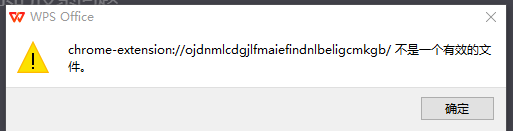
说明:宿主注册文件中直接调用wps的路径,会将chrome插件的通信消息直接传递给wps,然而wps 并没有实现该种信息的接受和处理,wps启动默认是从命令行中接受信息,而不是stdin中。而nativeMessaging 通信时调用宿主程序会给其传递两个参数:插件id和chrome窗口句柄。图中就是读取的插件id,wps将其认作需要打开的文件路径。
Linux上chromium插件
- 宿主注册文件
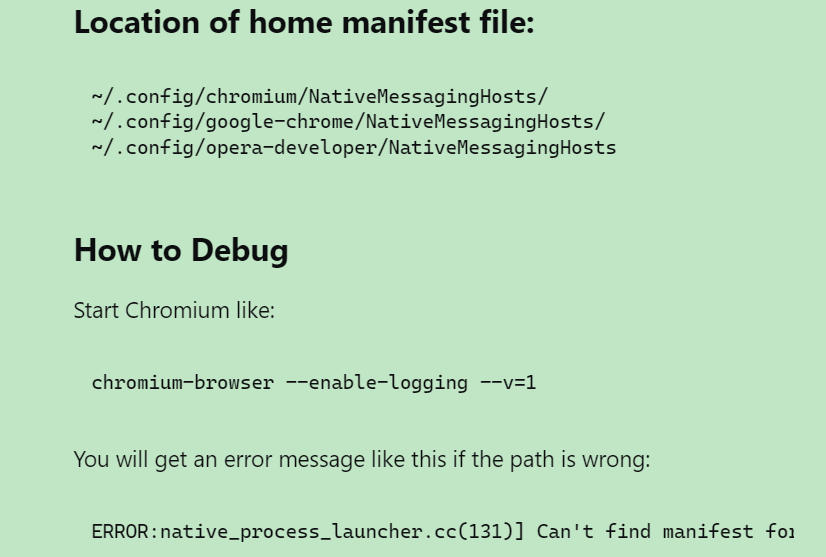
1.1 json文件名是管道名,不能随意
1.2 文件位置??、 - 调试
2.1
参考:
web与主机app通信:
https://textslashplain.com/2020/09/04/web-to-app-communication-the-native-messaging-api/
https://developer.chrome.google.cn/docs/extensions/develop/concepts/native-messaging?hl=zh-cn
调试:
https://textslashplain.com/2022/01/08/debug-native-messaging/
https://www.163.com/dy/article/GU5IQEAV0511CJ6O.html

 浙公网安备 33010602011771号