
mysql常用语句:
登陆mysql:
mysql -u root -p password
创建数据库:
create database dbname;
删除数据库:
drop database dbname;

说明:备份sql server
--- 创建 备份数据的 device
USE master
EXEC sp_addumpdevice 'disk', 'testBack', 'c:\mssql7backup\MyNwind_1.dat'
--- 开始 备份
BACKUP DATABASE pubs TO testBack
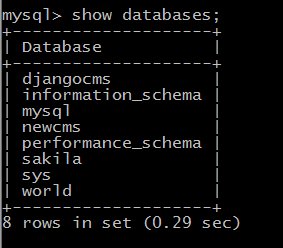
查看数据库:
show databases;
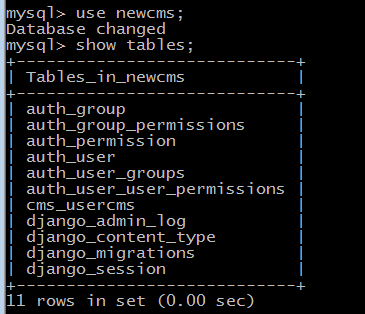
查看某一数据库的表:
use newcms;
show tables;
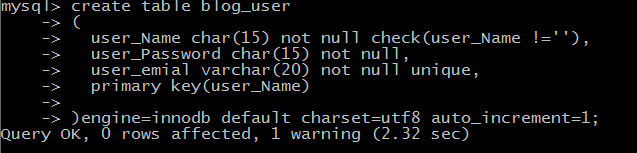
创建新表:(根据旧表建立新表)create table tab_new as select col1,col2… from tab_old definition only

删除新表
drop table tabname
6、说明:增加一个列
Alter table tabname add column col type
注:列增加后将不能删除。DB2中列加上后数据类型也不能改变,唯一能改变的是增加varchar类型的长度。
7、说明:添加主键: Alter table tabname add primary key(col)
说明:删除主键: Alter table tabname drop primary key(col)
8、说明:创建索引:create [unique] index idxname on tabname(col….)
删除索引:drop index idxname
注:索引是不可更改的,想更改必须删除重新建。
9、说明:创建视图:create view viewname as select statement
删除视图:drop view viewname
查看其中一个表的全部内容:
select * from cms_usercms;
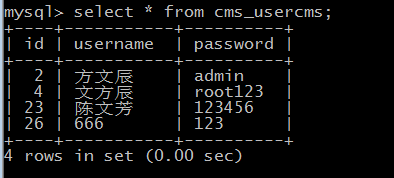
这是一个保存用户名密码的表,对这个表做操作:
查询:
查找:select * from table1 where field1 like ’%value1%’
排序:select * from table1 order by field1,field2 [desc]
总数:select count as totalcount from table1
求和:select sum(field1) as sumvalue from table1
平均:select avg(field1) as avgvalue from table1
最大:select max(field1) as maxvalue from table1
最小:select min(field1) as minvalue from table1

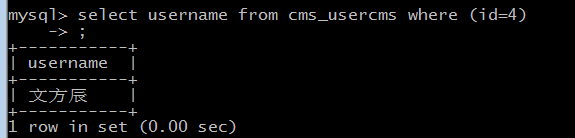
插入:insert into table1(field1,field2) values(value1,value2)

删除:


 浙公网安备 33010602011771号