
安装类2:zsh: command not found: pip 解决方法
出现zsh: command not found: xxx解决方法:
把 bash shell 中.bash_profile 全部环境变量加入zsh shell里就好
step1:
Term执行:
➜ ~ open .zshrc
step2:
找到 “# User configuration”
加入
source ~/.bash_profile
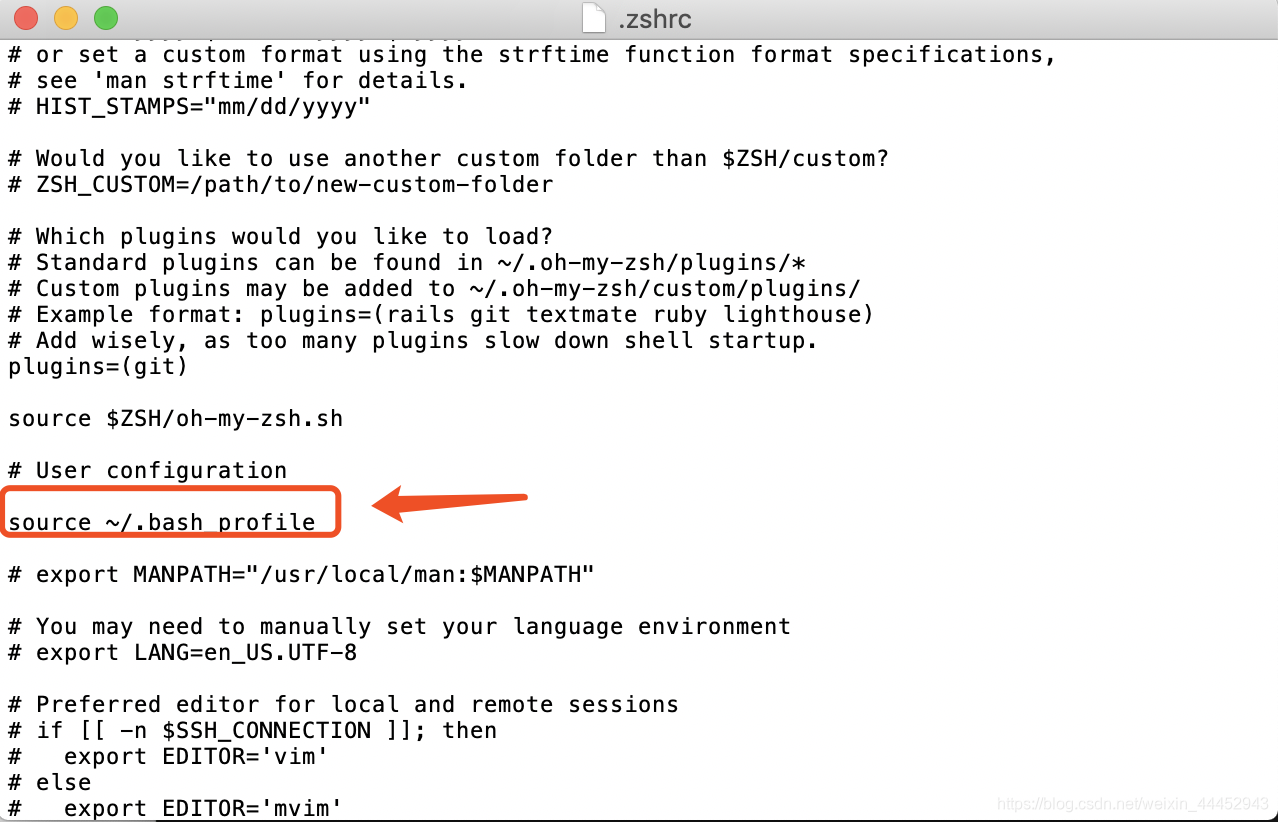
step3:
Term执行
➜ ~ source .zshrc

 浙公网安备 33010602011771号