
springmvc中使用文件下载功能
项目代码:https://github.com/PeiranZhang/springmvc-fileupload
使用文件下载步骤
- 对请求处理方法使用void或null作为返回类型,并在方法中添加HttpServletResponse参数
- 将响应的内容类型设为文件的内容类型
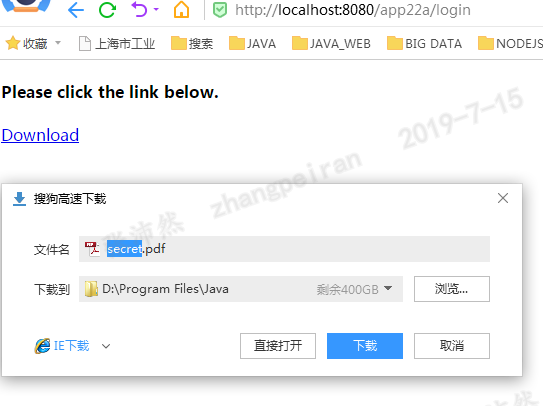
- 添加一个名为Content-Disposition的HTTP响应标题,并赋值attachment; filename= fileName,这里的fileName是默认文件名,应该出现在File Download(文件下载)对话框中。它通常与文件同名,但是也并非一定如此。(可选)
例子:下载服务器上的pdf文件
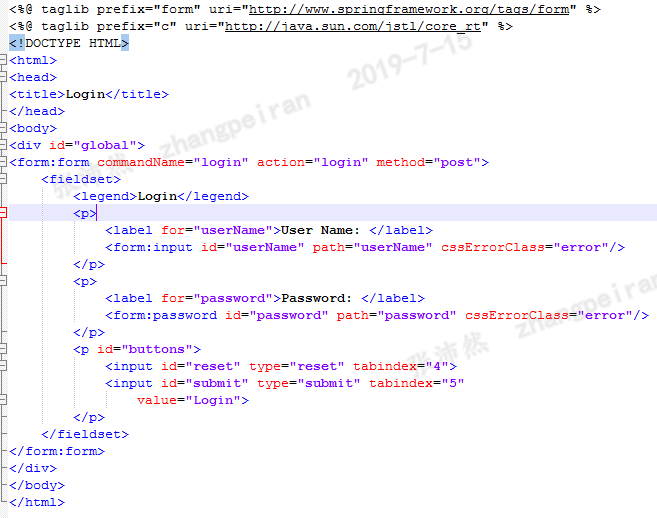
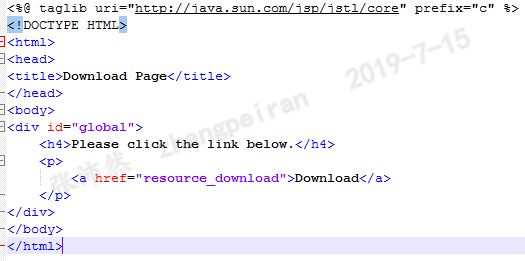
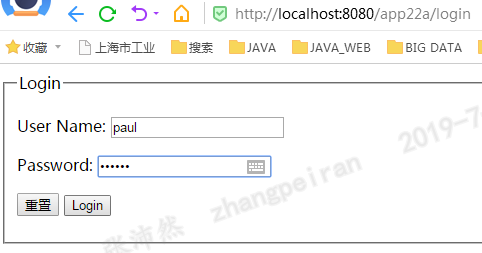
指定用户、密码登录表单之后,设置session,然后才可以下载文件:/WEB-INF/data/secret.pdf
Controller代码
@Controller
public class ResourceController {
private static final Log logger = LogFactory.getLog(ResourceController.class);
/**
* @param login @ModelAttribute 注解接受表单中的login对象
* @param session
* @param model
* @return
*/
@RequestMapping(value="/login")
public String login(@ModelAttribute Login login, HttpSession session, Model model) {
System.out.println(login);
//与jsp中的标签绑定
model.addAttribute("login", new Login());
if ("paul".equals(login.getUserName()) &&
"secret".equals(login.getPassword())) {
//设置session
session.setAttribute("loggedIn", Boolean.TRUE);
return "Main";
} else {
return "LoginForm";
}
}
@RequestMapping(value="/resource_download")
public String downloadResource(HttpSession session, HttpServletRequest request,
HttpServletResponse response) {
if (session == null ||
session.getAttribute("loggedIn") == null) {
return "LoginForm";
}
String dataDirectory = request.
getServletContext().getRealPath("/WEB-INF/data");
System.out.println(dataDirectory);
File file = new File(dataDirectory, "secret.pdf");
if (file.exists()) {
//设置响应类型,这里是下载pdf文件
response.setContentType("application/pdf");
//设置Content-Disposition,设置attachment,浏览器会激活文件下载框;filename指定下载后默认保存的文件名
//不设置Content-Disposition的话,文件会在浏览器内打卡,比如txt、img文件
response.addHeader("Content-Disposition",
"attachment; filename=secret.pdf");
byte[] buffer = new byte[1024];
FileInputStream fis = null;
BufferedInputStream bis = null;
// if using Java 7, use try-with-resources
try {
fis = new FileInputStream(file);
bis = new BufferedInputStream(fis);
OutputStream os = response.getOutputStream();
int i = bis.read(buffer);
while (i != -1) {
os.write(buffer, 0, i);
i = bis.read(buffer);
}
} catch (IOException ex) {
// do something,
// probably forward to an Error page
} finally {
if (bis != null) {
try {
bis.close();
} catch (IOException e) {
}
}
if (fis != null) {
try {
fis.close();
} catch (IOException e) {
}
}
}
}
return null;
}
}
LoginForm.jsp
Main.jsp
结果
例子:浏览器内显示图片。图片放在WEN-INF目录下面,可以禁止直接请求
Controller代码
@Controller
public class ImageController {
private static final Log logger = LogFactory.getLog(ImageController.class);
@RequestMapping(value="/image_get/{id}", method = RequestMethod.GET)
public void getImage(@PathVariable String id,
HttpServletRequest request,
HttpServletResponse response,
@RequestHeader String referer) {
//referer记录了该请求是从哪个链接过来的,可以用来判断请求是否合法
if (referer != null) {
System.out.println(referer);
String imageDirectory = request.getServletContext().
getRealPath("/WEB-INF/image");
File file = new File(imageDirectory,
id + ".jpg");
if (file.exists()) {
response.setContentType("image/jpg");
//不设置Content-Disposition的,图像在浏览器内打卡
byte[] buffer = new byte[1024];
FileInputStream fis = null;
BufferedInputStream bis = null;
// if you're using Java 7, use try-with-resources
try {
fis = new FileInputStream(file);
bis = new BufferedInputStream(fis);
OutputStream os = response.getOutputStream();
int i = bis.read(buffer);
while (i != -1) {
os.write(buffer, 0, i);
i = bis.read(buffer);
}
} catch (IOException ex) {
// do something here
} finally {
if (bis != null) {
try {
bis.close();
} catch (IOException e) {
}
}
if (fis != null) {
try {
fis.close();
} catch (IOException e) {
}
}
}
}
}
}
}
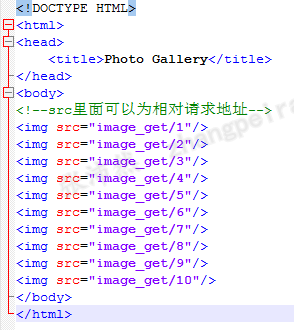
html文件
结果
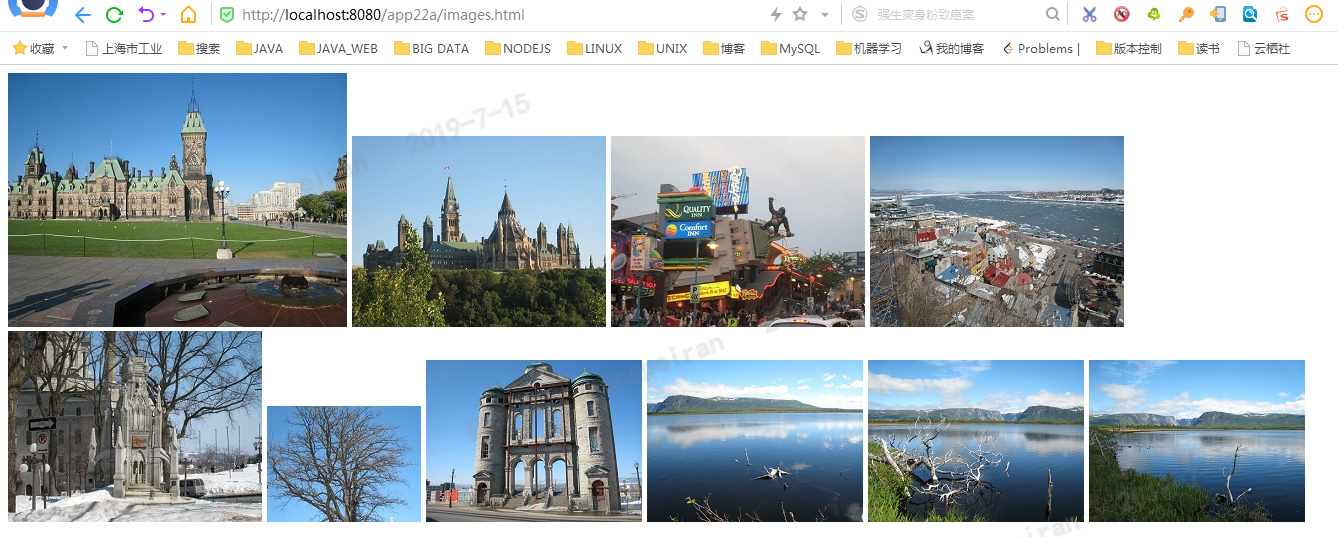
直接请求html文件,html里面的img标签的src记录了请求地址,发出请求,后台控制,将图片的内容输出到浏览器上
参考
- 《JSP、Servlet和SpringMVC学习指南》

 浙公网安备 33010602011771号