
创建简单的对话框应用程序
import sys
from PySide6.QtWidgets import (QLineEdit, QPushButton, QApplication,
    QVBoxLayout, QDialog)

class Form(QDialog):

    def __init__(self, parent=None):
        super(Form, self).__init__(parent)
        # Create widgets
        self.edit = QLineEdit("Write my name here")
        self.button = QPushButton("Show Greetings")
        # Create layout and add widgets
        layout = QVBoxLayout()
        layout.addWidget(self.edit)
        layout.addWidget(self.button)
        # Set dialog layout
        self.setLayout(layout)
        # Add button signal to greetings slot
        self.button.clicked.connect(self.greetings)

    # Greets the user
    def greetings(self):
        print(f"Hello {self.edit.text()}")

if __name__ == '__main__':
    # Create the Qt Application
    app = QApplication(sys.argv)
    # Create and show the form
    form = Form()
    form.show()
    # Run the main Qt loop
    sys.exit(app.exec())
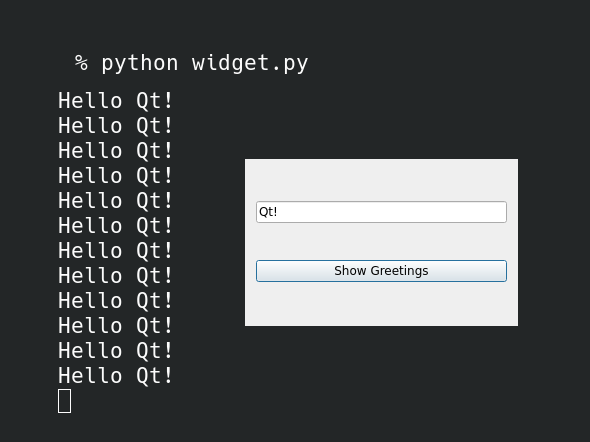
当您执行代码并记下您的姓名时,该按钮将在终端上显示消息:

 浙公网安备 33010602011771号